
OWC Mercury Helios 3S
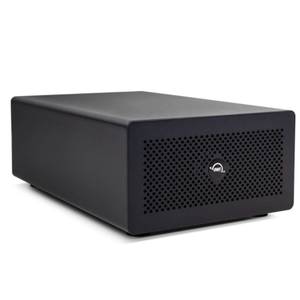
- Disconnect Mercury Helios 3S Thunderbolt cable from computer
- Disconnect power cord from Mercury Helios 3S
- Remove two thumb screws and swap card
- Reconnect power cord to Mercury Helios 3S
- Reconnect Mercury Helios 3S Thunderbolt cable to computer
Note: If your PCIe card requires a driver, always follow the manufacturer's instructions for installation.
Includes
(1) PCIe Expansion Solution
(1) Thunderbolt Cable
(1) External Power Supply
(1) Power Cable
(1) Quick Start Guide for
(1) Assembly Manual & User Guide for
3 Year Warranty Specs
Expansion Slots
PCIe 3.0 interface (x4) with x16 physical slot
Device Ports
(1) Host Port - Thunderbolt 3 (USB-C) up to 40Gb/s (5000MB/s)
(1) Thunderbolt 3 (USB-C) Port
(1) DisplayPort Port
Power Delivery
One Thunderbolt 3 port with 85W power delivery
One Thunderbolt 3 port with 15W power delivery
UASP Support
UASP (USB Attached SCSI Protocol) is supported
Chipset / Controller
Thunderbolt 3: Titan Ridge (JHL7440)
Host Interface Requirements
Thunderbolt (USB-C) port (backward compatible with Thunderbolt 2/Thunderbolt)
Supported PCIe Cards
Mechanical: x16 slot and enclosure support cards up to half-length, full-height, and double-width
Bandwidth: PCIe 3.0 x4. Cards that require a minimum of x8 or more PCIe lanes are not supported.
GPUs not supported
If the card requires a driver it must be Thunderbolt-aware.
Cards that require more than 75W are not supported.
Housing Color
Black
Housing Material
Aluminum
Dimensions
Height: 8.2 cm (3.2 in)
Length: 23.3 cm (9.2 in)
Width: 14.3 cm (5.6 in)
Weight
1.6 kg (3.64 lbs)